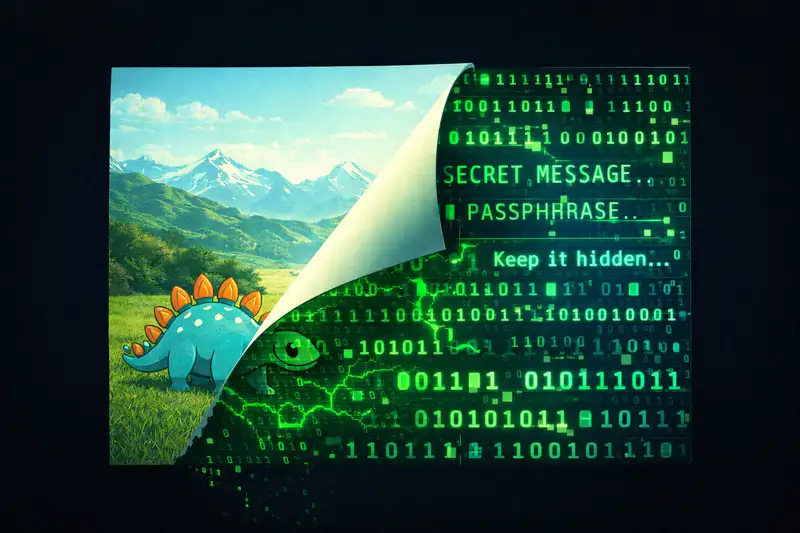
Look at any photo on your computer right now. Maybe it’s a wallpaper, a meme you saved, a picture of your dog. That image could contain an entire hidden document and you would never know. Your eyes can’t detect it. Your computer can’t either. Not unless you know exactly what to look for.
This is steganography. And it’s one of the coolest concepts in all of security.
Encryption vs. Invisibility
Most people, when they think about keeping secrets, think about encryption. You take a message, scramble it with a key, and now nobody can read it without the key. Problem solved, right?
Well, sort of. Encryption has one obvious weakness: everyone can see that you’re hiding something. An encrypted file screams “there’s something important in here.” It’s like walking around with a locked briefcase handcuffed to your wrist. Sure, nobody can open it, but everyone knows you’ve got something worth protecting.
Steganography takes the opposite approach. Instead of making the data unreadable, you make it invisible. You hide the message inside something that looks completely ordinary. A photo. A text file. An audio clip. Nobody even suspects there’s a secret because there’s nothing suspicious to look at.
Encryption makes data unreadable. Steganography makes data invisible. And when you combine both? That’s when things get really interesting.
How It Works: The Least Significant Bit
The most common form of image steganography relies on something called least significant bit (LSB) manipulation. Here’s the idea.
Every digital image is made of pixels. Each pixel stores color information as binary, ones and zeros. A single pixel’s color channel might look something like 10101010 in binary.
Now, if you flip that last bit to 10101011, the color changes by the tiniest possible amount. We’re talking about a difference so small that no human eye could ever detect it. The image looks identical.
But here’s the trick: if you do that across thousands of pixels, flipping the last bit of each one according to a pattern, you can encode an entire message inside the image. Each flipped bit represents part of your hidden data. The image still looks exactly the same, but it now carries a secret payload.
Hands On: Hiding a File in an Image
There’s a tool called steghide that makes this surprisingly easy. Say you have a file called secret.txt with your hidden message and an image called linux.jpg that you want to hide it in.
steghide embed --ef secret.txt --cf linux.jpgIt’ll ask you for a passphrase. This adds an extra layer of protection: even if someone suspects steganography is in play and tries to extract the data, they still need the password to decode it.
After running the command, your linux.jpg looks identical. Same dimensions. Same visual appearance. But the secret message is embedded in the pixel data. To get it back:
steghide extract --sf linux.jpgEnter the passphrase and out comes your secret.txt. That’s it.
Hiding Data in Plain Text
Images aren’t the only game in town. You can hide messages in plain text files too, and the method is wonderfully sneaky.
A tool called stegsnow hides data using trailing whitespace. Spaces and tabs appended to the end of lines. You literally cannot see them in most text editors. The text looks completely normal, but there’s invisible data hanging off the end of every line.
stegsnow -f secret.txt cover.txt stego.txtThis takes your secret message, encodes it as patterns of spaces and tabs, and appends those patterns to the lines in your cover text file. The output file stego.txt reads exactly like the original. If you open it in a GUI text editor, you see nothing unusual. But open it in something like nano that shows whitespace, and suddenly there’s a bunch of extra invisible characters everywhere.
According to stegsnow’s documentation, this approach stores about three bits per eight columns of trailing whitespace. Not huge bandwidth, but more than enough for a short message. And the beauty is that nobody looks twice at a text file.
The Bigger Picture
Think about what this means for a second. We hid data in pixel values and in whitespace characters. Two completely different mediums, same underlying concept. Digital files are absolutely full of noise. Pixel bits, audio samples, whitespace, file structure padding, metadata fields. Wherever there’s digital structure, there’s an opportunity to hide data in the gaps.
This is what makes steganography so powerful and so dangerous. It avoids suspicion entirely. Security tools can scan for encrypted files. Network monitors can flag encrypted traffic. But a JPEG that someone emails to their friend? That’s just a photo. Nobody looks twice.
Where Steganography Shows Up in the Wild
This isn’t just a fun party trick for security nerds. Steganography has real world applications, both legitimate and malicious.
Journalists and activists in authoritarian countries have used steganography to smuggle information past censors. If your government monitors encrypted communications, hiding your message in an innocent looking photo is a way around that.
On the flip side, malware authors use steganography to hide command and control instructions. A compromised machine might download what appears to be a normal image from a legitimate hosting service, but encoded in the pixel data are instructions telling the malware what to do next. Security tools that inspect network traffic see nothing suspicious because it’s just an image download.
And as we discussed in the agentic AI security post, attackers are already using steganography to embed prompt injection instructions inside images. An AI browser agent processes the image, reads the hidden instructions, and follows them. The human user sees a normal picture and has no idea anything happened.
Try It Yourself
If you want to experiment with steganography (and you should, it’s genuinely fascinating), both steghide and stegsnow are available in most Linux package managers. On Kali Linux or Parrot OS they’re usually preinstalled.
sudo apt install steghide stegsnowPlay around with embedding messages in different images. Try different passphrases. Try extracting from an image you didn’t embed anything in (spoiler: it’ll fail). Get a feel for how it works.
If you want to go deeper, look into tools like zsteg and binwalk that can detect steganographic content in files. Understanding both sides of steganography, hiding and finding, is what makes this knowledge genuinely useful.
Why This Matters
Steganography sits at a fascinating intersection of security, privacy, and digital forensics. It’s a reminder that what you see on your screen is not the whole picture. Files contain more than their visible content. Images carry more than pixels. Text files hold more than characters.
In a world where we’re increasingly relying on AI to process and act on digital content, understanding steganography isn’t optional anymore. It’s one of the tools attackers are using right now, and knowing how it works is the first step toward defending against it.
Next time someone sends you a photo, just remember: there might be a lot more in that JPEG than a picture of someone’s lunch.